BluFlow 2,800-16,000 - Installation

7:57 Duration Published on 2026-08-198 chapters Installation

This video shows how to unpack the BluFlow pond pump and connect it to a filter, waterfall or skimmer, both in wet and dry setups. It also explains how to place the pump in the pond and test it.

Step by step

The video's chapters, with what to do in each. Click a timestamp to jump there.

  1. Unpacking the BluFlow

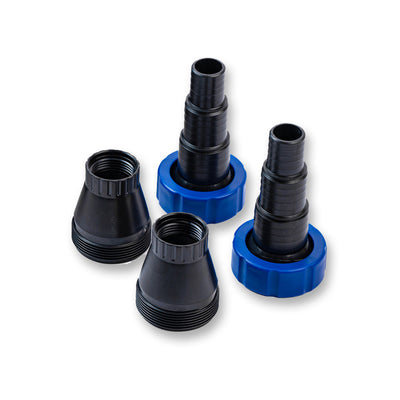
    The pump is delivered well protected in a box containing a product box. Inside you'll find everything you need: a manual, connectors for the hose, the pond pump itself, and a 10-metre power cable, ideal if you're a bit further from the pond and the socket.

  2. Debris basket and intake options

    • Can be connected to 25 mm, 32 mm or 38 mm pond hose
    • Large debris basket and low energy use, suitable for 24/7 use as a filter pump
    • Intake via skimmer connection or via the debris basket
    • High delivery head, ideal for a waterfall or stream
  3. Connecting the wet setup

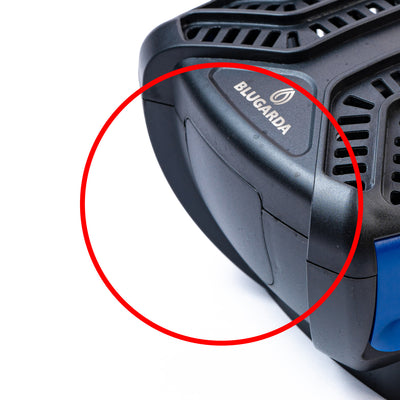
    Click open the filter lid and make sure the cover plate on the side is in place for the wet setup. Screw on the large connector, and first place the o-ring in the swivel nut of the hose tail for a proper seal. Tighten the hose tail firmly and point it in the direction you want. Put the filter lid back on and click it shut. If you also want to connect a skimmer, add an extra hose tail.

  4. Connecting the pond hose

    Choose a pond hose that matches your pump's capacity; for a larger pump, go for a larger diameter to reduce resistance and increase capacity. First place a hose clamp around the hose, slide the hose onto the hose tail, and tighten the clamp firmly with a flat screwdriver. Then connect the hose to your filter.

  5. Connecting a skimmer

    Take off the lid and remove the partition so water is drawn in via the skimmer. If you want to switch back to using the debris basket later, just put the partition back in and click the pump shut. Connect a hose with a hose clamp, tighten it firmly, and attach it to your skimmer. This way the pump will draw water in through the skimmer and send it to your filter.

  6. Installing the dry setup

    The dry setup is handy if you want to place the pump outside the pond, for example in a technical pit. Keep the filter lid off, or leave the pump in it, and fit a hose connector with an o-ring on the outlet, then repeat this for the inlet. Make sure the pump always stays below the water level, since it has no dry-run protection and could run dry. You can also place the pump inside the debris basket and close it off for a stable dry setup, for example for a skimmer connection or a drain hole.

  7. Placing and testing the pump

    Place the complete filter pump on the bottom of the pond and slowly let out all the air bubbles. Connect the pond hose to your filter, waterfall or stream. Plug it into the socket to check that the pump is working.

  8. Need help?

    Do you still have questions about using, installing or maintaining the BluFlow 2,800 to 16,000? Then visit our web shop or contact our customer service, we're happy to help.

Transcript (84 lines)

Frequently asked questions about this video

Which hose diameter should I use for the BluFlow pond pump?

The pump can be connected to a 25 mm, 32 mm or 38 mm pond hose. For a larger pump, choose a larger diameter to reduce resistance and increase capacity.

Can I place the BluFlow pump outside the pond?

Yes, the pump can also be used in a dry setup, for example in a technical pit. Just make sure the pump always stays below the water level, since it has no dry-run protection.

How do I connect the pump to a skimmer?

Take off the lid, remove the partition so water is drawn in via the skimmer, and connect a hose with a hose clamp. This way the pump draws water in through the skimmer and sends it to your filter.

Spare parts