ShareWhatsAppFacebookThe link includes the moment you are watching.
This video shows you how to maintain the BluFilter 1011 and 2011: cleaning the filter sponge and bio balls, replacing the UV-C lamp, and checking and cleaning the pump with rotor. This keeps your pond clear and your filter working well.
Step by step
The video's chapters, with what to do in each. Click a timestamp to jump there.
1
Preparing for maintenance
Over time, your BluFilter can fill up with dirt, or the UV-C lamp may need replacing. Replace the UV-C lamp every 8000 hours or every season, and clean the filter sponge every few weeks to months, depending on how dirty your pond gets.
A cloth to hold the UV-C lamp with
Screwdriver and Phillips screwdriver
New UV-C lamp (order via the web shop)
2
Disconnecting the BluFilter
Make sure you unplug the power first, then take the BluFilter out of the pond and maintain it in a suitable spot.
3
Cleaning the filter sponge and bio balls
First open the click system, the filter lid, so the filter sponge comes loose. Clean it with pond water or tap water.
Don't use chemicals, as this is harmful to the biological culture that keeps the pond clear
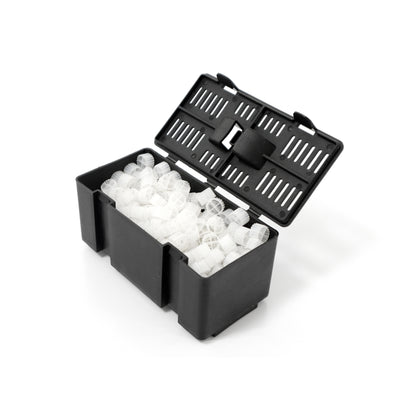
Clean the bio balls the same way, and open them up if needed to remove any dirt
4
Replacing the UV-C lamp
Unscrew the screws with a Phillips screwdriver and keep them aside. Loosen the pump and take the pump and the UV-C unit out of the filter.
Click the safety latch loose and turn the UV-C lamp out
Check whether the lamp is damaged or contains moisture
Take the lamp out using a cloth and keep the protective cap
Fit a new 11-watt PL UV-C lamp with the protective cap, using a cloth, until it clicks into place
5
Cleaning the quartz glass
Take out the clear tube and check it for dirt. If it's very dirty, clean it with tap water and a cloth.
Make sure you don't scratch it
Don't use chemicals
6
Reassembling the filter
Put the lamp back into the housing, turn it clockwise, and put the safety latch back on. Put the pump back in the right spot, place the UV-C unit back, and tighten the pump properly.
Check that everything is in the right place
Screw the screws back in with the screwdriver
7
Checking the pump and rotor
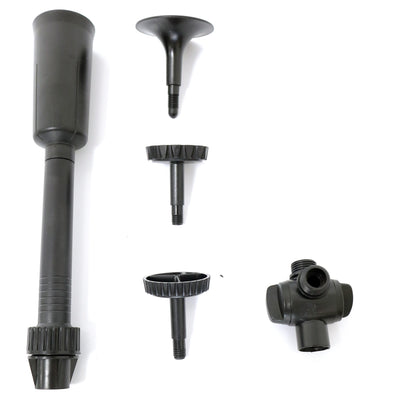
Loosen the pump, take off the front of the pump housing, and check the rotor. It has a magnetic part; always check it for damage and clean it with water if it's dirty.
If the rotor is broken, for example due to a small stone, order a new one
Put the rotor back, don't forget the little spring, and screw the pump shut and tight again
8
Need help?
Put the BluFilter back into the pond, connect it, and check straight away whether the UV-C lamp is working properly through the inspection window. If you can't see this in daylight, check again in the dark.
If you need replacement parts, such as the UV-C lamp or a new filter mat, buy them online via the BluGarda web shop.
Transcript
(50 lines)
·Click a line to jump there
Frequently asked questions about this video
How often should I replace the UV-C lamp of my BluFilter?
We recommend replacing the UV-C lamp every 8000 hours or every season, so about once a year, to keep it working well.
Can I use chemicals to clean the filter sponge or the quartz glass?
No, don't use chemicals, as this can harm the biological culture growing on the sponge, which is exactly what keeps your pond clear.
How do I check whether the pump's rotor is still working properly?
Take the rotor out of the pump and check for damage, for example from a small stone, and for dirt; clean it with water or order a new rotor if it's broken.